- What size is a LinkedIn banner?
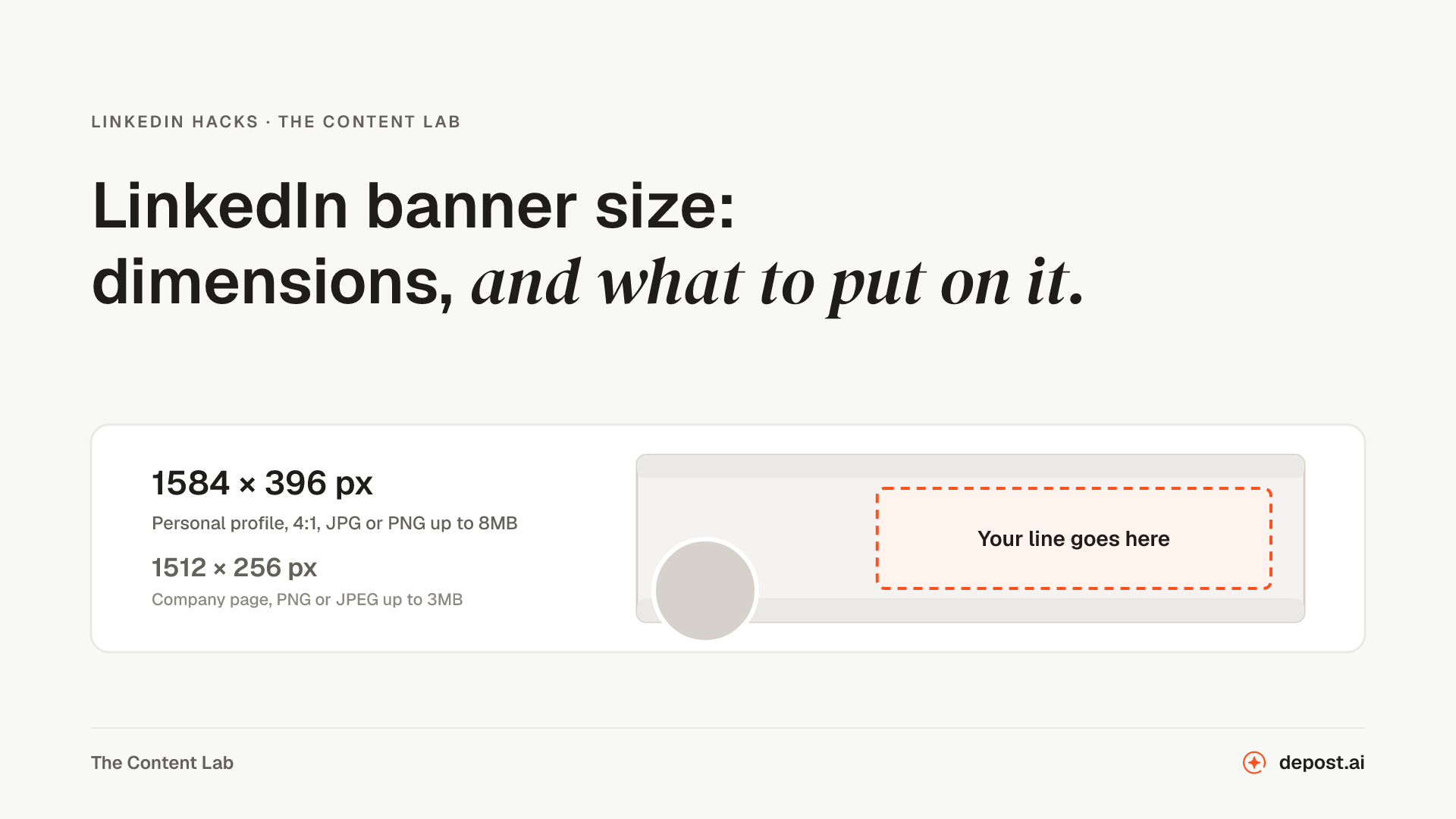
- 1584 by 396 pixels, a 4:1 ratio, and this tool exports at exactly twice that so the image stays sharp on retina screens. LinkedIn calls it the background photo in its own settings, and people also call it the cover photo or the profile banner; it is the same image. LinkedIn accepts up to 8MB as JPG or PNG. Nearly every banner that looks wrong on a profile is a sizing problem, which is why the dimensions are most of this tool's value.
- What are the eight designs?
- Starting compositions, not skins: Statement, Split, Band, Frame, Ghost, Grid, Spotlight, and Dots. Each sets a backdrop, a palette, a typeface, and where the text sits, and each thumbnail is drawn from the line you typed rather than from a stock preview, so what you click is what you get. Everything stays editable afterwards; a design is where you start, not where you have to stay.
- Why does the preview show a circle in the corner?
- Because your profile photo overlaps the banner's lower left on the profile page, and text placed there disappears behind your own face. The overlay shows roughly where the photo lands so you can keep the line clear of it. Add your actual photo and it appears inside that circle, so you judge the real overlap instead of a guess. Either way it is a preview layer only and never appears in the download.
- Can the banner match my profile photo?
- Once your photo is in the preview, one click picks the palette closest to its colors: a warm portrait lands on Sand or Mocha, a blue one on Ocean or Midnight, a black-and-white one on Ink or Paper. It chooses from the same twelve palettes, so the result still reads as a considered banner rather than a color sampled at random.
- What should a banner actually say?
- One line, the same job as your headline: what you do and who for, readable at a glance by someone who just landed on your profile. The banner is the largest text you get on LinkedIn and most people spend it on a stock cityscape. A plain line on a considered background outworks both the skyline and the collage.
- Does this work for company page banners?
- Company pages use a different size, 1512 by 256 as of LinkedIn’s current spec, so a personal banner will be cropped there. This tool builds the personal profile banner. If you need the company version, the same principles apply: one line, high contrast, nothing important near the logo overlap.
- Can I move the text around?
- Yes, drag it. The alignment buttons give you the three sensible starting points, and from any of them the whole text block drags freely on the preview, so you can tuck the line exactly where your banner wants it. A reset button puts everything back the moment a layout experiment goes wrong.
- What are the characters?
- The same four we drew for the meme generator on this site: a blob, a robot, a cat, and a bean, all original art drawn in code, so there is nothing licensed and nothing borrowed on your profile. Add one and it stands on your banner pointing at your line; drag it wherever it should stand. Optional, and off by default, because a banner with a mascot is a choice.
- Is there a watermark?
- No. The download is your banner at 2x resolution with nothing added, consistent with every tool on this site. Free means free.
- Is anything uploaded?
- No. The banner is drawn entirely in your browser and the download is generated there too. Nothing you type leaves the page, and a photo you add for the preview is read by your browser, never sent anywhere, never saved, and gone when you leave.