10 Tips to Make LinkedIn Posts Go Viral in 2026
Ten things that move a LinkedIn post in 2026, and what the March algorithm rebuild changed about how far one travels after the first hour.

· 11 min read · Updated
On this page
- What Changed in 2026
- 1. Know Your Audience Inside and Out
- 2. Start with a Powerful Hook
- 3. Make Your Content Mobile-Friendly
- 4. Stay Relevant with Trending Topics
- 5. Post at the Right Time
- 6. Boost Engagement with Questions and Polls
- 7. Use Hashtags (But Don’t Overdo It)
- 8. Diversify Content Formats
- 9. Don’t Just Post, Engage
- 10. End with a Clear CTA
- Bonus: Be Consistent (Even When You Don’t Go Viral)
- Quick Recap
- Conclusion
- FAQ
Most LinkedIn posts get almost no reach, and the reason is rarely the idea. It is the first line, or the wall of text, or the fact that the writer published and walked away.
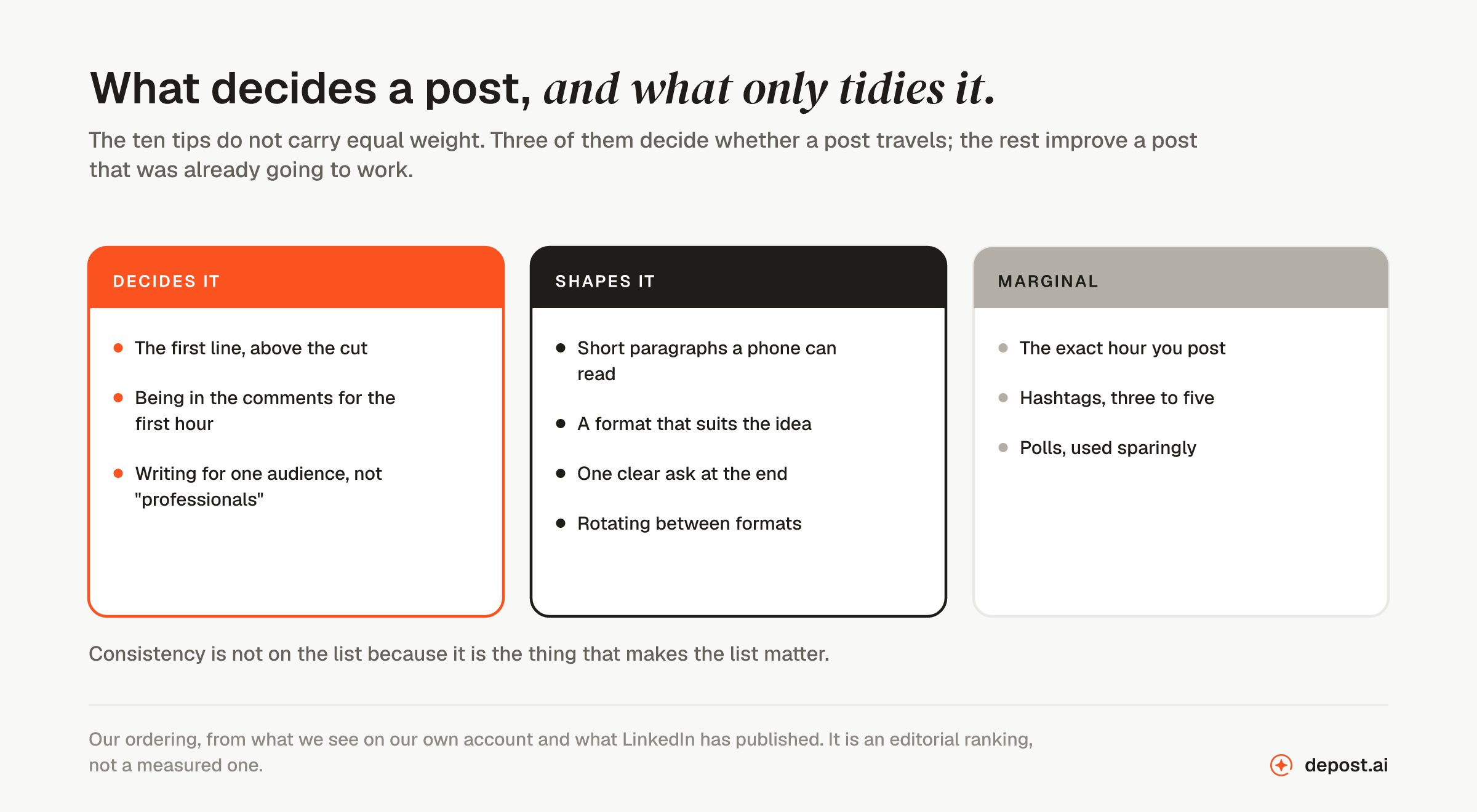
The posts that travel tend to share a handful of unglamorous habits. Here are ten of them, in roughly the order you should worry about them.
What Changed in 2026
LinkedIn rebuilt feed ranking in March 2026 and, unusually for a platform, published how it works. Two things in that announcement change how far a post travels.
Relevance can now outrank recency. A post is no longer racing a clock. LinkedIn matches posts to readers by meaning, using a retrieval stage built on an LLM and a ranking model that reads more than a thousand of a reader’s past interactions, so a strong post can surface days after you published it. The first hour still shapes how widely LinkedIn tests the post. It no longer closes the case.
Engagement bait is pushed down by name. LinkedIn listed what it reduces: repetitive low-substance posts, engagement bait, and video that does not match the text. It named comment automation and engagement pods separately, as enforcement rather than ranking, which is the harder consequence. How the LinkedIn algorithm works in 2026 has the detail and the sources.
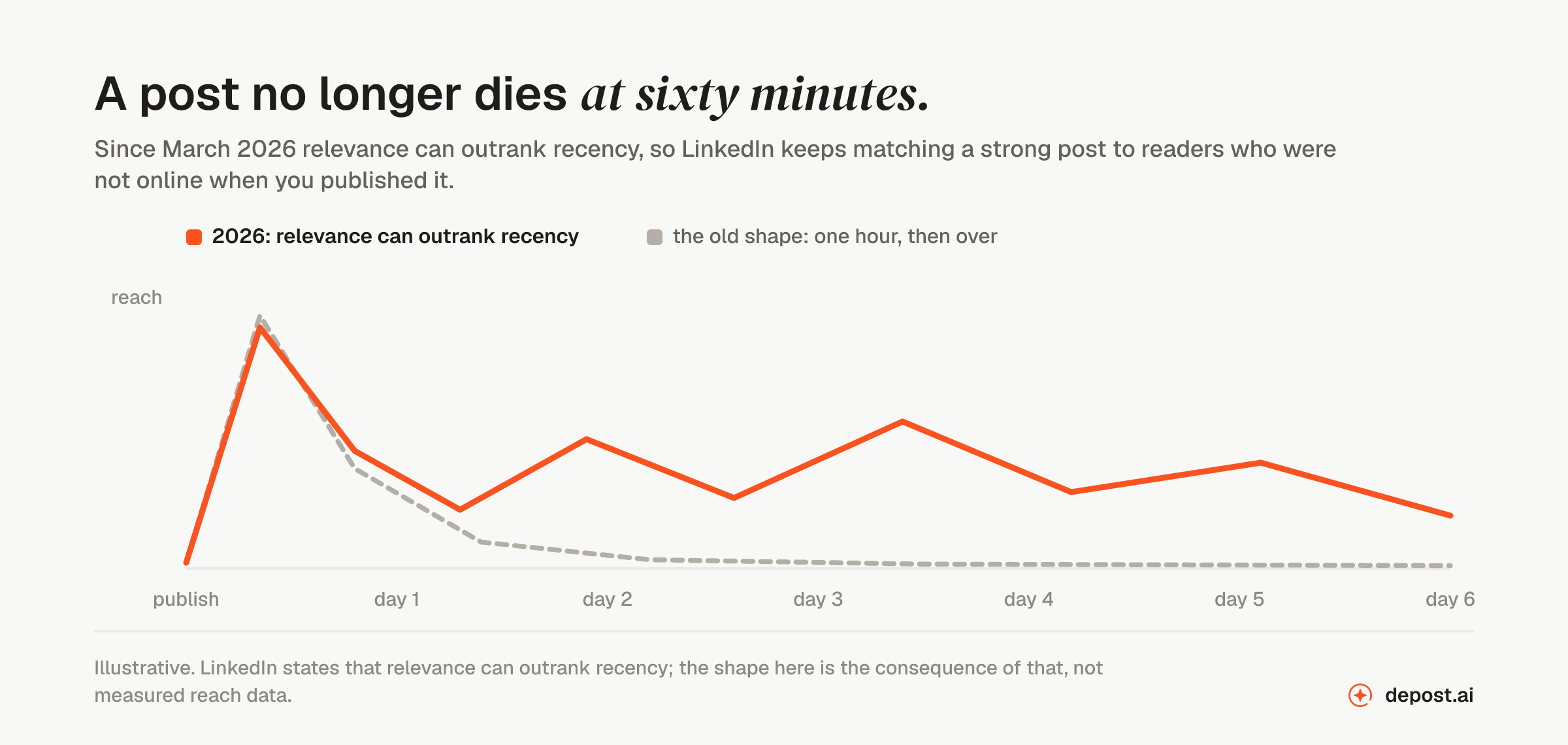
The ten tips below still hold. What changed is why they work: they make a post worth showing to people who were not in the room when you published it.
1. Know Your Audience Inside and Out
Writing for “professionals” produces posts that could have been written by anyone, about anyone. They get skimmed and forgotten.
Get specific about three things:
- Who they are: industry, seniority, whether they buy or recommend
- What keeps them up: the problem they would pay to make go away
- How they talk: the words they use for that problem, not the words your marketing team uses
The last one matters more than people expect. If your audience says “we can’t get anyone to reply to our outreach” and you write “optimizing top-of-funnel conversion,” you have lost them in the first line.
You already have the research. Read the comments on your last ten posts, the questions in your DMs, and the objections in your sales calls. That is your content calendar.
2. Start with a Powerful Hook
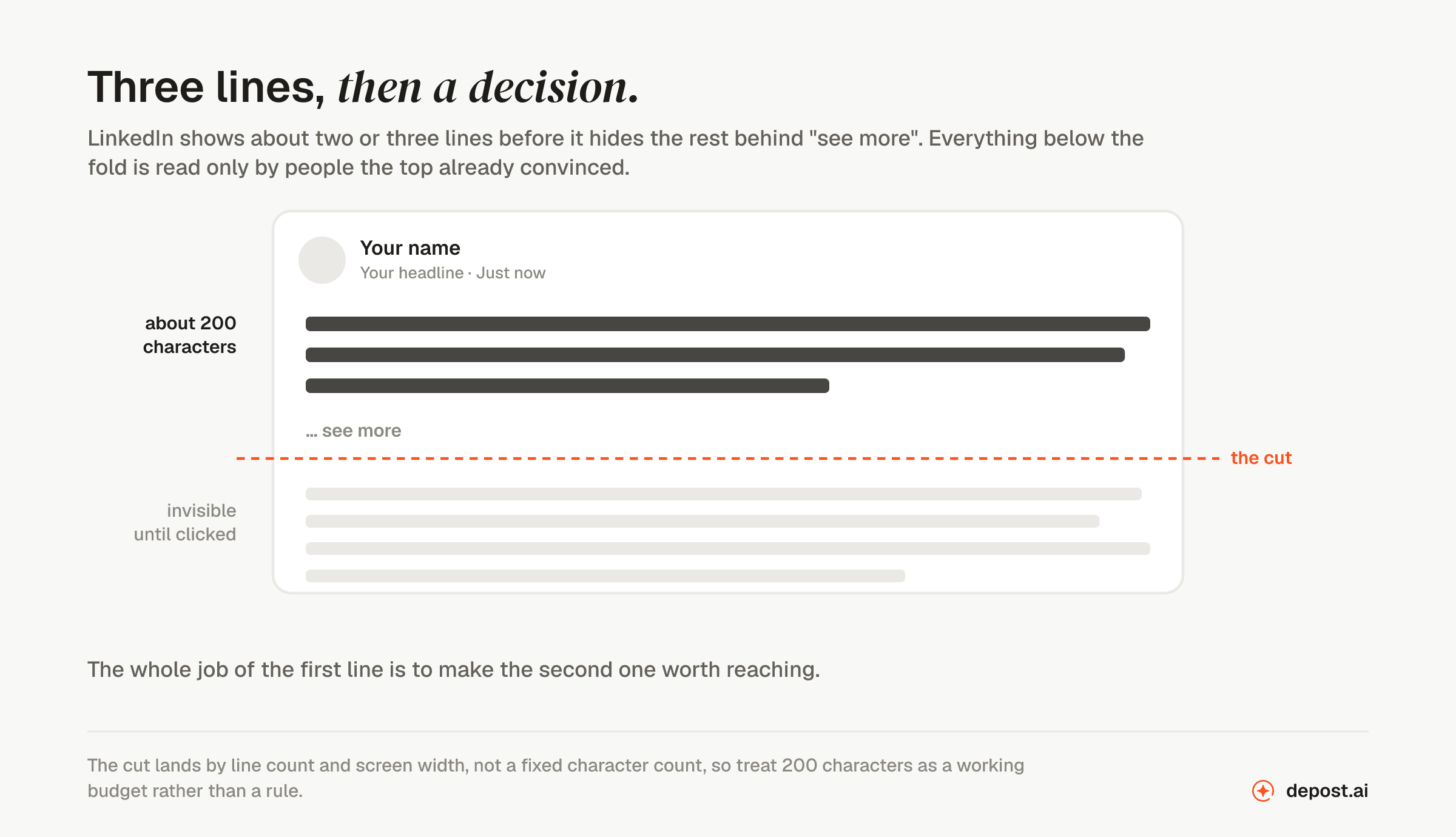
LinkedIn shows roughly two lines before the “see more” cut. Everything you have written below that is invisible until someone decides those two lines were worth the click.
So write the hook last, once you know what the post actually says, and make it do one job: create a gap the reader wants closed.
A few openings that tend to work:
- A claim people will argue with: “Posting daily is the worst advice on LinkedIn.”
- A surprising stat: “95% of posts get under 10 likes. Here’s why.”
- An admission: “I almost quit posting last year. Here is what changed.”
What does not work: throat-clearing. “In today’s fast-paced digital landscape” tells the reader nothing and costs you the only two lines you get.
If you want openings to choose between, the free hook generator drafts several for a post you have already written.
3. Make Your Content Mobile-Friendly
Over 65% of LinkedIn members scroll on mobile, in a queue, with about four seconds of patience. A dense paragraph on a laptop becomes a grey brick on a phone, and well-formatted posts can see 40% more engagement than the same words in a block.
- Keep paragraphs to one to three lines
- Put a blank line between thoughts
- Use bullets when you are listing, prose when you are arguing
- Cut the post by a third before you publish it
That last one is the only editing rule that reliably works. Almost every draft is too long, and the parts you cut are almost never missed.
4. Stay Relevant with Trending Topics
Commenting on something the industry is already talking about buys you attention you did not have to build. The catch is that everyone else is commenting too.
So bring something they cannot: your own numbers, your own client’s reaction, the thing the coverage got wrong. A post that says “here is the news” is worth nothing. A post that says “here is what the news means for people doing my job” is worth a lot.
If you have nothing to add, skip it. Reposting the same take with a different emoji is how a feed goes stale.
5. Post at the Right Time
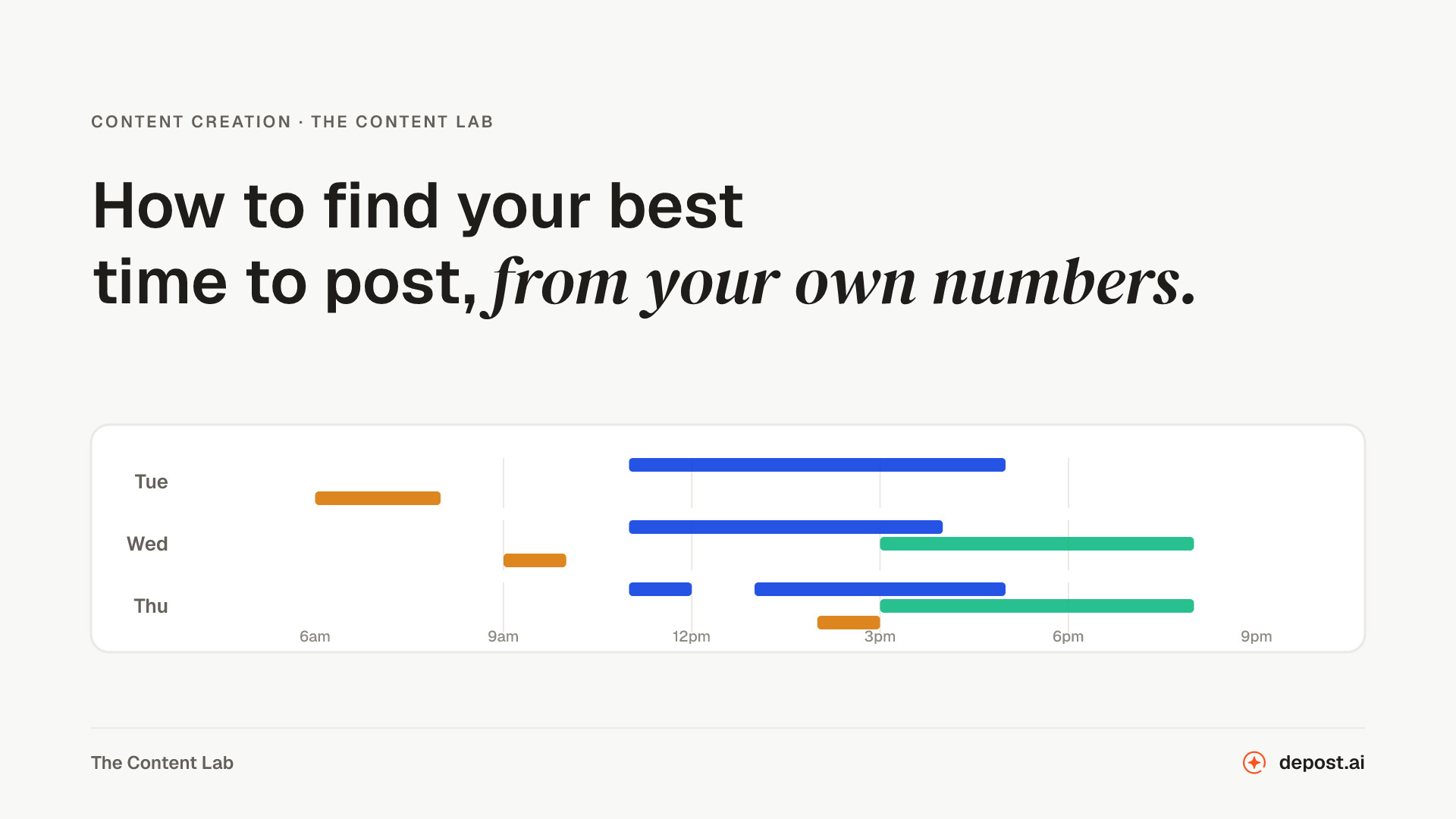
Timing is a small effect that people treat as a large one, and in 2026 it got smaller. Because relevance can outrank recency, a post that finds its audience on Thursday can still surface for somebody on Sunday. The first hour still decides how widely LinkedIn tests the post, so it is worth being there for it, but a good post is no longer dead at 60 minutes.
Weekday mornings are a reasonable default, roughly 8 to 11 in your audience’s time zone, Tuesday through Thursday. But defaults are just a starting point. Your own analytics will tell you something more useful within a month of consistent posting, and how to find your best time to post on LinkedIn lays out the four-week test for doing it properly, on your audience’s clock.
The bigger timing mistake is not the hour. It is publishing and then disappearing for six hours. See tip nine.
6. Boost Engagement with Questions and Polls
A question at the end of a post works when it is easy to answer and genuinely open. “What do you think?” is neither. “Which of these two would you have shipped?” is both.
Polls are cheap engagement, and readers know it, so use them when the answer is actually interesting to you:
What is your biggest challenge with LinkedIn content?
- Coming up with ideas
- Consistency
- Engagement
- Something else, tell me below
Then do the part most people skip: post the results a week later with what surprised you. The follow-up usually outperforms the poll.
One caution that is newer than most advice on this subject. LinkedIn now names engagement bait among the things it pushes down, so the line matters: a question you genuinely want answered is a question, and “comment YES if you agree” is the thing being described.
7. Use Hashtags (But Don’t Overdo It)
Hashtags are a minor discovery mechanism on LinkedIn, not a growth strategy. Three to five relevant ones is plenty.
Mix one or two broad tags with two or three narrow ones. Narrow tags have fewer readers but far less competition, which is usually the better trade. Fifteen tags at the bottom of a post mostly signals that you are guessing.
If picking them is the step you skip, the free hashtag generator suggests three to five for a post, weighted toward the narrow ones.
8. Diversify Content Formats
Text posts are the easiest to write and the easiest to ignore. Rotating formats keeps your feed from feeling like a newsletter, and format is one of the few levers with a measured effect: documents, the carousel format, average a 6.60% engagement rate against a 5.20% platform average, while text-only posts sit at 3.95%. The benchmarks by format has the sources.
- Carousels, when the idea has steps or a before and after
- Short video, when your face and tone carry the point better than words
- Screenshots, when the proof is the artifact itself
- Plain text, when the story is strong enough not to need decoration
Watch which ones your audience actually finishes, not which ones get the most likes. Those are different numbers.
9. Don’t Just Post, Engage
Publishing is the first ten percent of the work.
The hour after you post is when the algorithm is deciding what to do with you, and it reads replies as a stronger signal than likes. So stay in the thread:
- Answer every comment in the first hour, with a sentence that adds something rather than “thanks!”
- Ask the commenter a follow-up question, which turns one comment into three
- Go comment on other people’s posts, which is how people find you in the first place
Most accounts that grow quickly are not writing better posts than everyone else. They are just present in the comments, every day, for months.
10. End with a Clear CTA
Tell the reader what to do next, and pick one thing. Posts that ask for a like, a comment, a follow, and a newsletter signup get none of them.
- A reaction: “Agree or not?”
- A conversation: “What would you have done instead?”
- A next step: “Full breakdown in the comments.”
Keep it in the voice of the post. A thoughtful essay that ends in “Comment YES for the free guide” undoes itself.
Bonus: Be Consistent (Even When You Don’t Go Viral)
Most posts do not go anywhere, including the ones you were sure about. That is normal, and it is not a reason to stop.
Here is the number that should encourage you: only about 1% of LinkedIn members post weekly, and that 1% collects roughly 9 billion impressions a week between them. The consistency edge is still sitting there unclaimed, and brands that post weekly see around 2x the engagement of ones that post sporadically.
Consistency compounds in ways single posts cannot. People need to see you several times before they remember your name, and your best-performing post is usually one you almost did not publish.
Aim for a rhythm you can hold for six months, then hold it.
Quick Recap
| Tip | Why it works |
|---|---|
| Know your audience | Specific beats broad, every time |
| Open with a real hook | Two lines decide whether the rest is read |
| Format for a phone | Most of your readers are on one |
| Add to the conversation | Relevance is free reach, if you bring something |
| Post when they are awake | Early engagement decides how far it travels |
| Ask answerable questions | Comments are worth more than likes |
| Use a few precise hashtags | Narrow tags, less competition |
| Rotate formats | Different ideas need different shapes |
| Stay in the comments | The hour after publishing is the work |
| Ask for one thing | A single clear next step gets taken |
Conclusion
None of this is a trick. It is a hook worth clicking, a post worth finishing, and an hour of your attention afterward. Do that consistently and the reach follows.
FAQ
How often should I post on LinkedIn to stay visible?
Two to four times a week is a good target for most people. Daily posting works if you have the material, but a thin post published to keep a streak alive does more harm than skipping a day.
What’s the best time to post on LinkedIn for maximum reach?
Weekday mornings, roughly 8 to 11 in your audience’s time zone, are a reasonable starting point. After a month of consistent posting your own analytics will beat any general guidance, because they reflect when your audience is actually online. The best time to post guide shows the three current studies side by side and how to run your own test.
How can I come up with new post ideas regularly?
Stop treating it as a creative problem. The ideas are in your sales calls, your support inbox, the questions people ask you in DMs, and the comments on your own older posts. Keep a running note and you will never start from a blank page.
Do hashtags really matter on LinkedIn?
A little. They help categorize a post and can surface it to people following a topic, but they are not a growth strategy. Three to five relevant tags, weighted toward narrow ones, is enough.
How can I make my content more engaging?
Be more specific. Most boring posts are boring because they are general: real numbers, real names, a real thing that went wrong. Then reply to everyone who comments.
Can I repurpose content across platforms?
Yes, as long as you reshape it rather than copy it. A LinkedIn post and an X thread have different rhythms, and readers can tell when something was written for somewhere else.
How can Depost AI help me go viral on LinkedIn?
It works on the things that move reach. The Performance Analyzer reads your published history and ranks ideas by what beat your own average, viral post intelligence surfaces what is working right now in your niche from a library of over 100,000 posts, and every draft comes back in your voice with the graphic designed and a slot in the queue. You approve each one before it publishes.