5-Step LinkedIn Outreach Workflow for Predictable B2B Leads (Now in Depost AI)
The daily loop I use to turn LinkedIn activity into actual conversations: a targeted feed, ten real comments, warm signals, a note that isn't a pitch, and follow-ups you cannot forget.

· 9 min read · Updated
On this page
If you have ever felt like you are “doing LinkedIn” every day and still not getting predictable leads out of it, you are not alone.
For a long time my own routine looked like this:
- Post something
- Scroll the feed
- Drop a few random comments
- Send a couple of DMs when I remembered
It felt active. It did not feel reliable.
Some weeks I would get a few promising conversations. Most weeks, nothing I could count on.
After talking to a lot of founders, sales reps, and solo creators using Depost AI, it became clear this was not just my problem. We were not missing motivation. We were missing a workflow.
Why the Old LinkedIn Outreach Playbook Stopped Working
The classic social selling playbook is: show up every day, post good content, comment on other people’s posts, send personalized DMs to prospects.
On paper that is fine. In practice it falls apart the moment you try to run it for more than a fortnight, because it relies entirely on your memory. You lose track of who was actually interested. You forget to follow up with the people who were warmest. You comment on whatever the feed puts in front of you, just to feel active. And your “personalized” messages still read as templates, because you wrote nine of them in a row.
The problem is not effort. It is that the whole thing depends on remembering things, at the exact moment the main feed is doing its best to distract you.
At some point I had to accept something:
I didn’t need more content. I needed a LinkedIn outreach workflow I could repeat every day.
The Mindset Shift: From Feed to Pipeline
The turning point was one question: what if I stopped treating LinkedIn as a feed and started treating it as a pipeline?
When you think “feed”, you scroll. When you think “pipeline”, you work through steps.
So the goal became narrow and specific: a five-step loop I could run in 30 to 45 minutes a day. No hacks, no 200-DM blasts. Just something repeatable.
We then built that loop into Depost AI, so it is not just a thing I describe in a blog post.
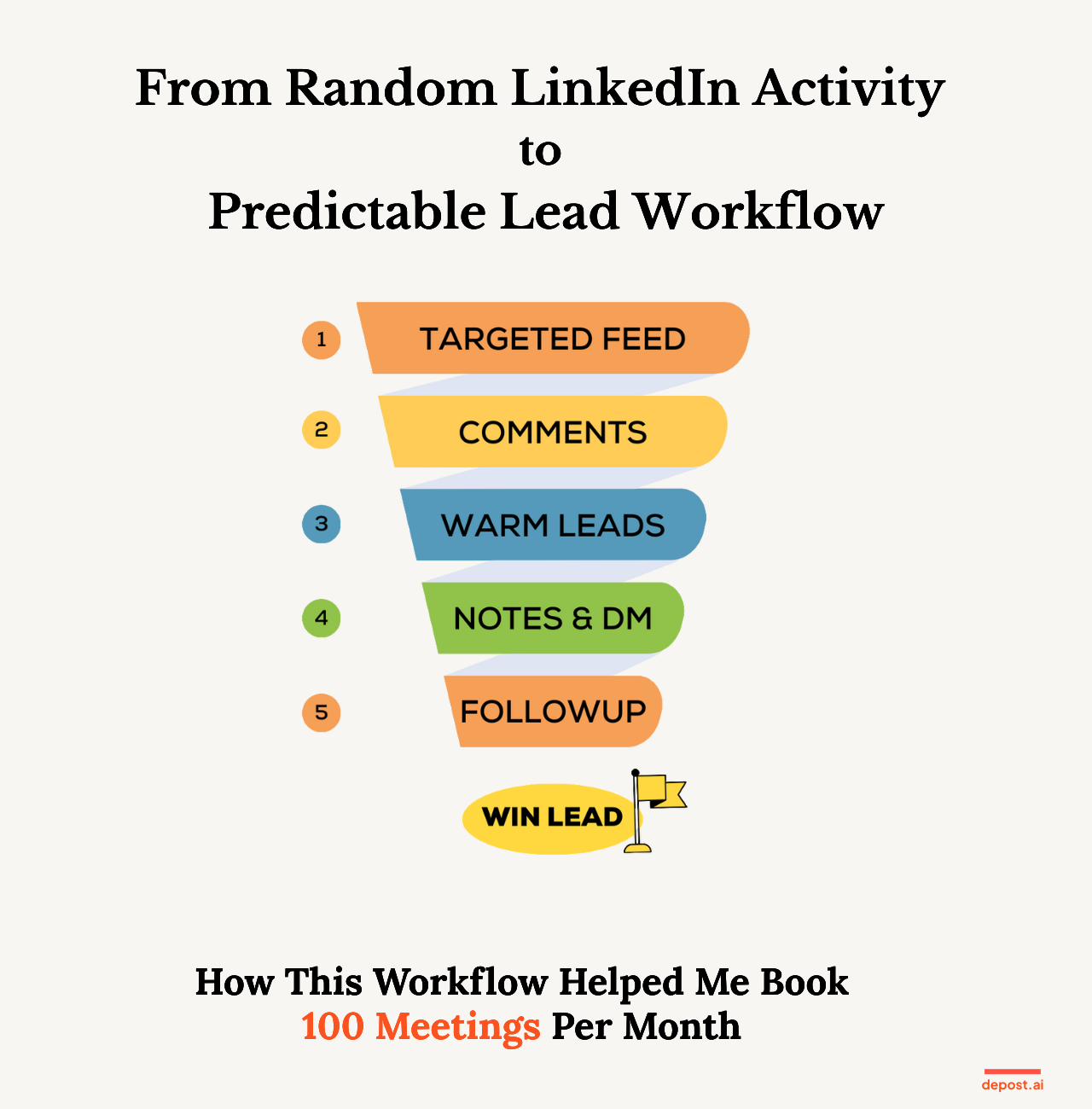
The 5-Step LinkedIn Outreach Workflow for B2B Leads
1. Start from a Targeted Feed (Not the Home Feed)
The first rule: never start an outreach session on the generic LinkedIn home feed.
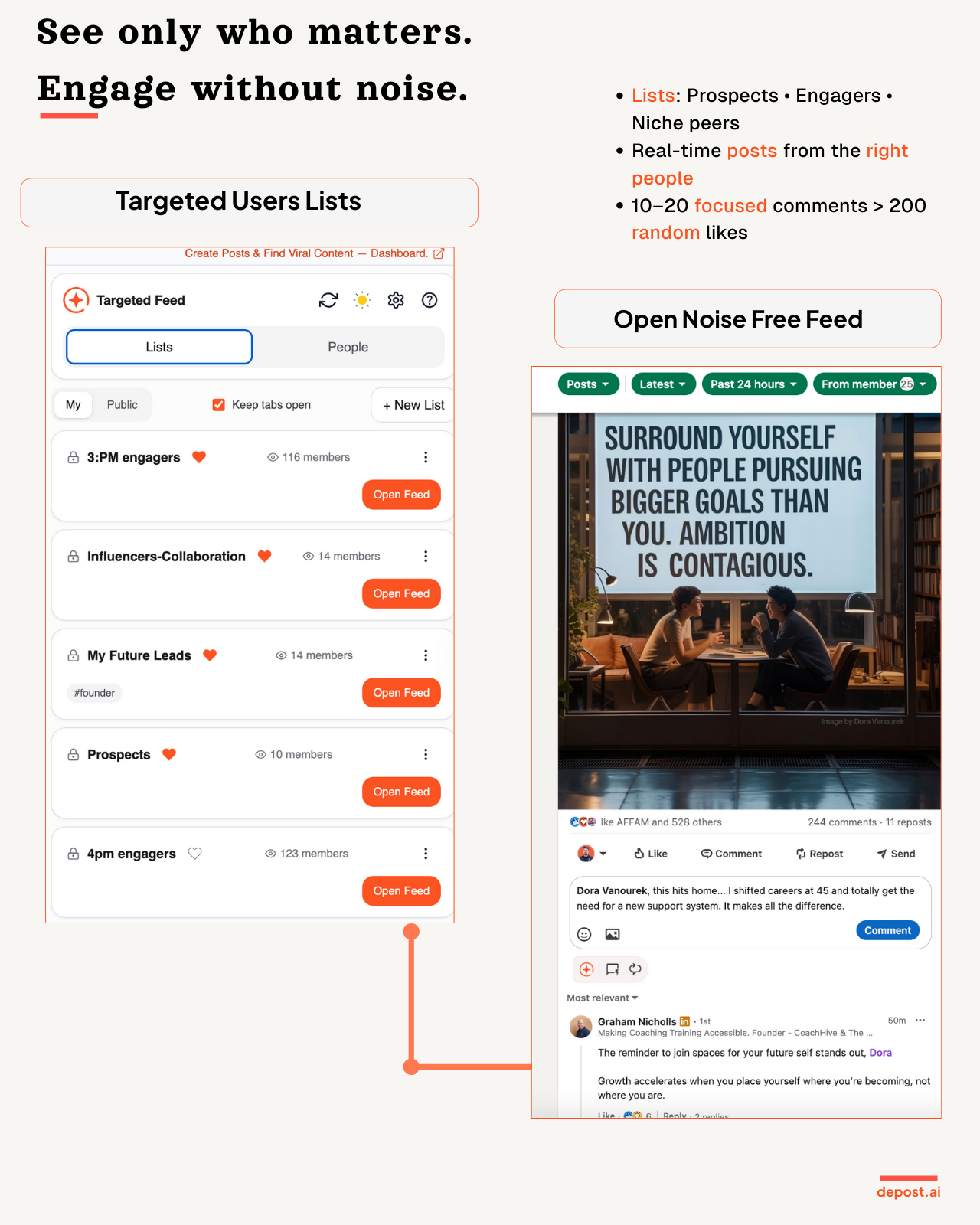
Work from a targeted feed instead, a view that only shows posts from your ideal prospects, decision-makers, warm engagers, and people already in your pipeline.
That one change turns LinkedIn from an infinite scroll into a short list of people who matter. It also means everything you do next is aimed at someone specific.
Building that list used to be the slow part. You can still add people manually, but you can also import selected leads straight from Sales Navigator, or upload a CSV and map prospects into the right list.
If step one of your day is opening the main feed, you are already in reactive mode.
2. Leave 5 to 10 Meaningful Comments
From that feed, leave five to ten real comments a day.
Not “Great post!” or “Love this 🔥” or anything you could have written without reading. Aim for one of three things: a short insight, a genuine question, or an example that adds something the post did not have.
The point is to become a familiar and useful name in your prospect’s world before you ever send them a message. By the time you do, you are not a stranger.
If a comment does not move the conversation forward, rewrite it.
3. Watch for Warm Signals
Over a few days or weeks, some people start to stand out:
- You have engaged with them several times
- They reply to your comments
- They like more than one of your posts
- They keep turning up in your notifications
These are not just people who saw you. They are people showing intent.
Most outreach fails because it skips this layer entirely and jumps straight to a cold DM. The workflow inverts it: you move when the signals are already there.
4. Send a Personalised Connection Note and First DM
Once someone feels familiar, outreach stops being awkward.
A good connection note references something real, their post, their role, a project, or an opinion they have stated. It is short. And it contains no pitch at all.
Then, once they accept, your first DM thanks them, ties back to something in their world rather than yours, and ends with one question that is easy to answer.
Simple first DM template: “Hey [Name], appreciate you connecting. I saw your post about [topic] and it stuck with me, especially the part about [specific bit]. Curious: how are you currently handling [related challenge]?”
No six-paragraph monologue. Just a message that makes sense given what came before it.
If you want a feel for either before committing to the loop, the free connection request generator drafts a note inside the 300 characters LinkedIn allows, and the DM generator does the same for the first message.
5. Follow Up With a Simple, Visible System
This last step is the difference between predictable leads and occasional lucky ones.
Every DM you send should carry a status (New, Engaging, Warm, Contacted, Replied, Need Follow-up, Won) and a follow-up date if one applies.
Then your daily task is boring, which is the point:
- Open your list
- Check “Not replied” and “Follow-up due today”
- Send one honest nudge
No mental clutter, and no “I’ll remember to reply later”, which is a sentence that has never once been true.
What’s New Inside Depost AI for LinkedIn Outreach
We turned that five-step loop into something you can run inside Depost AI, without spreadsheets or sticky notes.
Targeted Feed for Prospects
A feed that only shows content from people on your prospect and lead lists. You open it and see the posts worth engaging with, in one place.
Building that feed is faster now too:
- Sales Navigator import: select leads in Sales Navigator and add them straight to a Depost AI list
- CSV import: upload a lead file, check the column mapping, and import into the right list
This matters because the workflow is only as good as the list feeding it. There is a full walkthrough of both import flows if you want the detail.
Comment Drafts in Your Tone
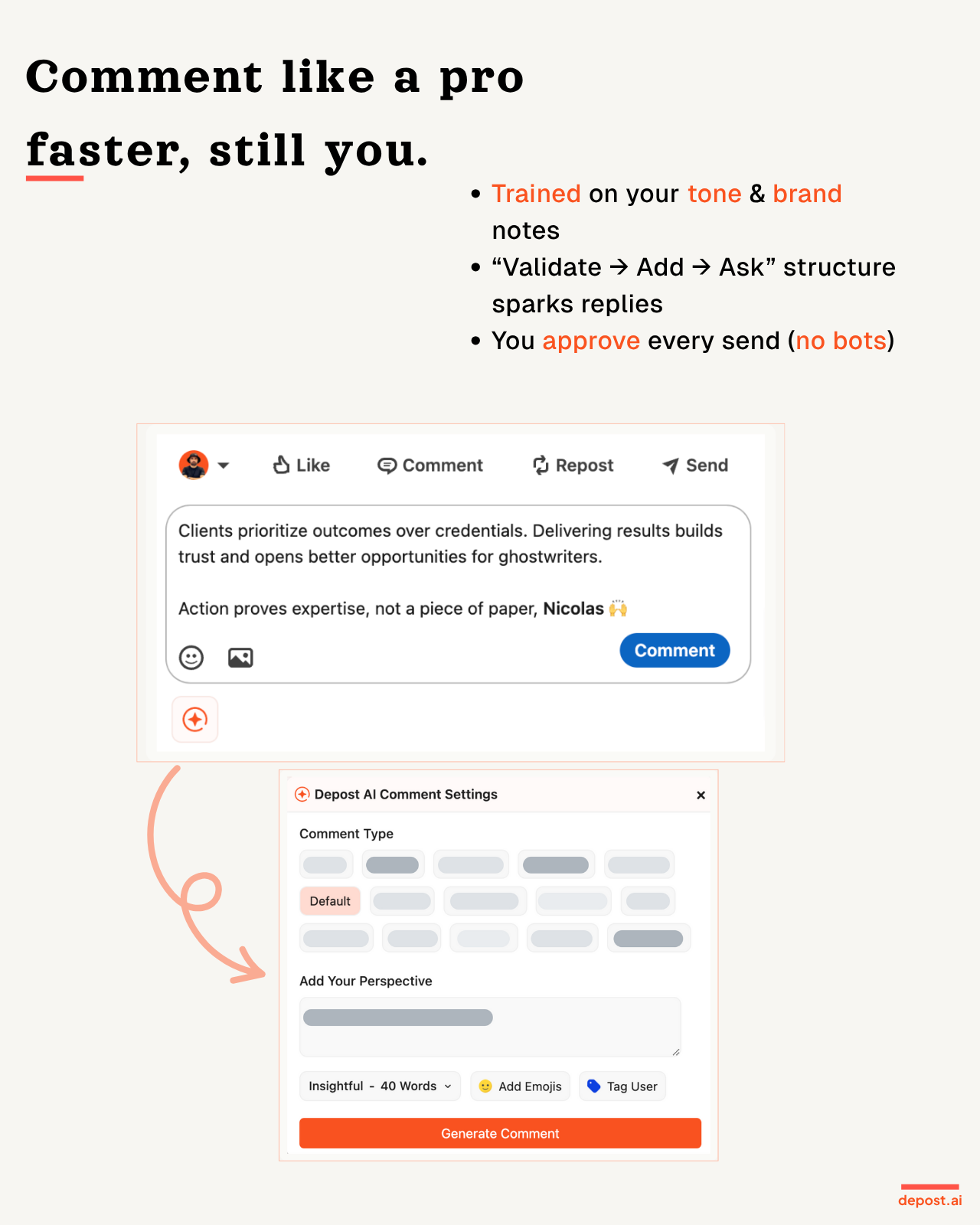
Depost AI drafts comment options based on the post’s content and the tone you pick. You review, edit, and post them yourself.
It mostly solves the blank-box problem, which is the real reason people skip the commenting step on a busy day. Nothing is posted automatically. You are always the one who presses send.
Warm Lead Tracking and Activity Signals
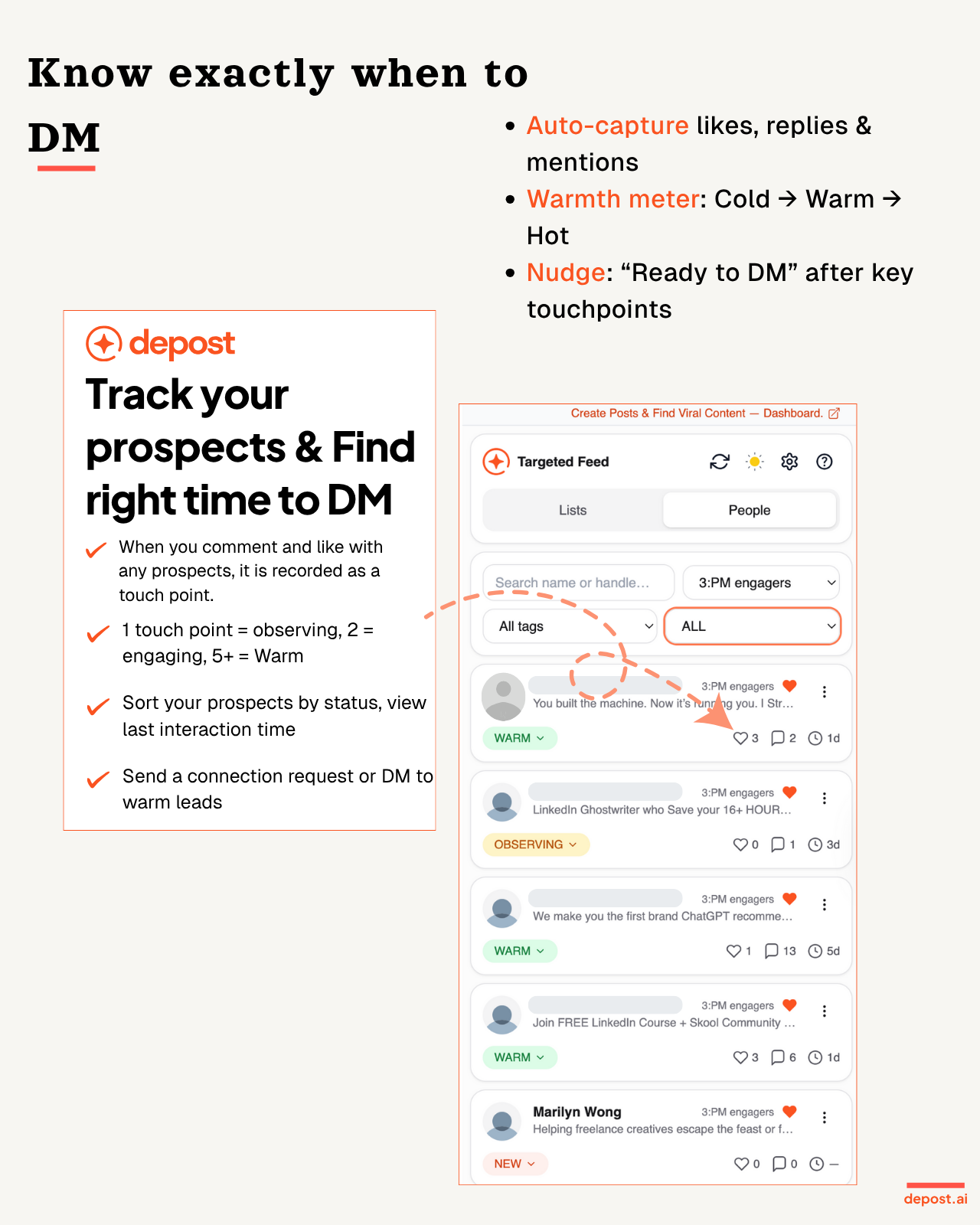
As you engage, Depost AI keeps count of:
- How many times you have engaged with each person
- How many comments, likes, and DMs that adds up to
- Which leads have crossed into warm territory
So instead of “I think that person liked something once”, you get an actual picture of who is warming up, and no guessing about who to talk to next.
Personalised Connection Notes
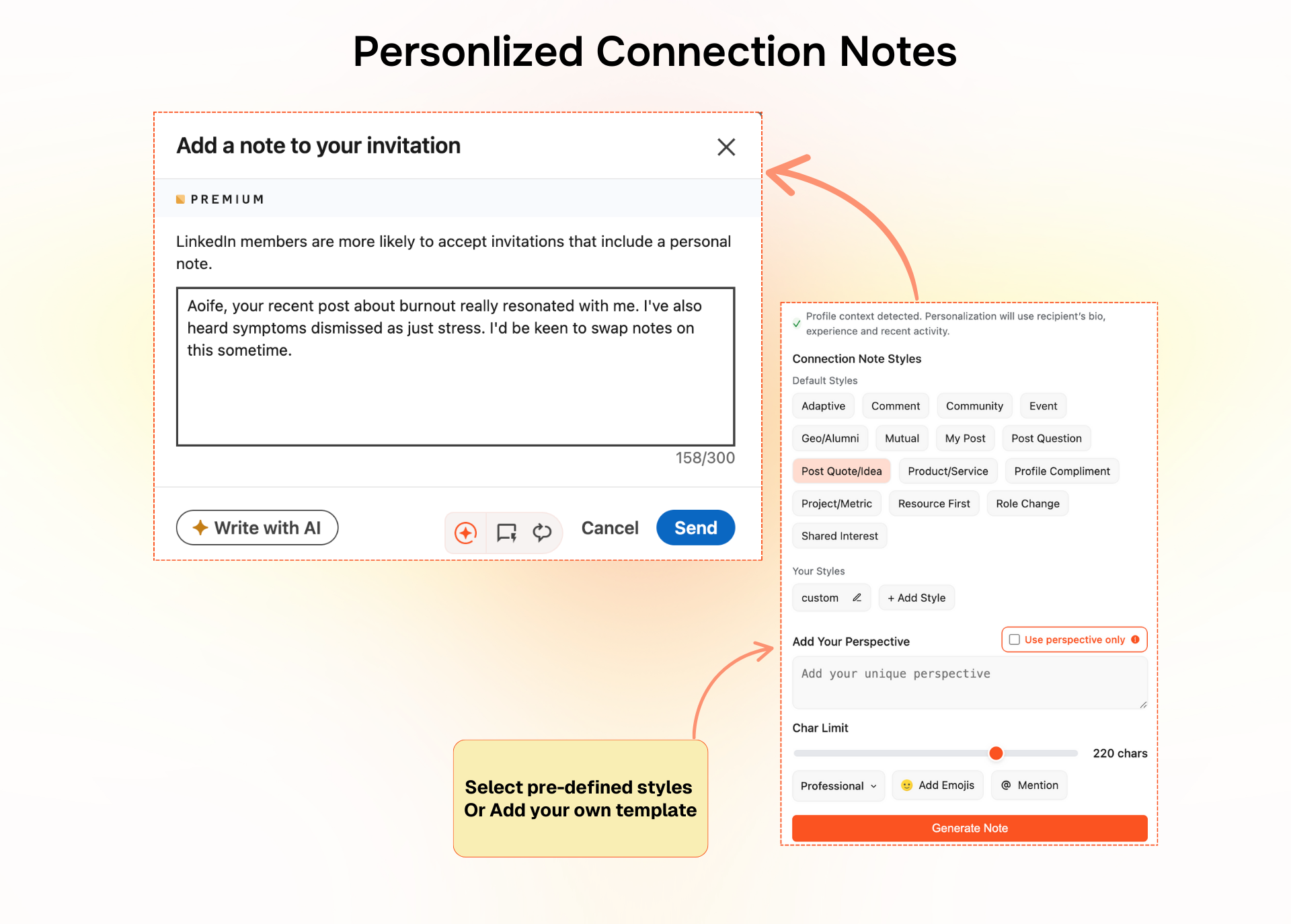
Depost AI drafts connection notes from their role, their headline, and their recent posts. You approve and edit every one, but you never start from a blank field.
The result is that your invites stay relevant and specific, rather than becoming the same sentence sent forty times.
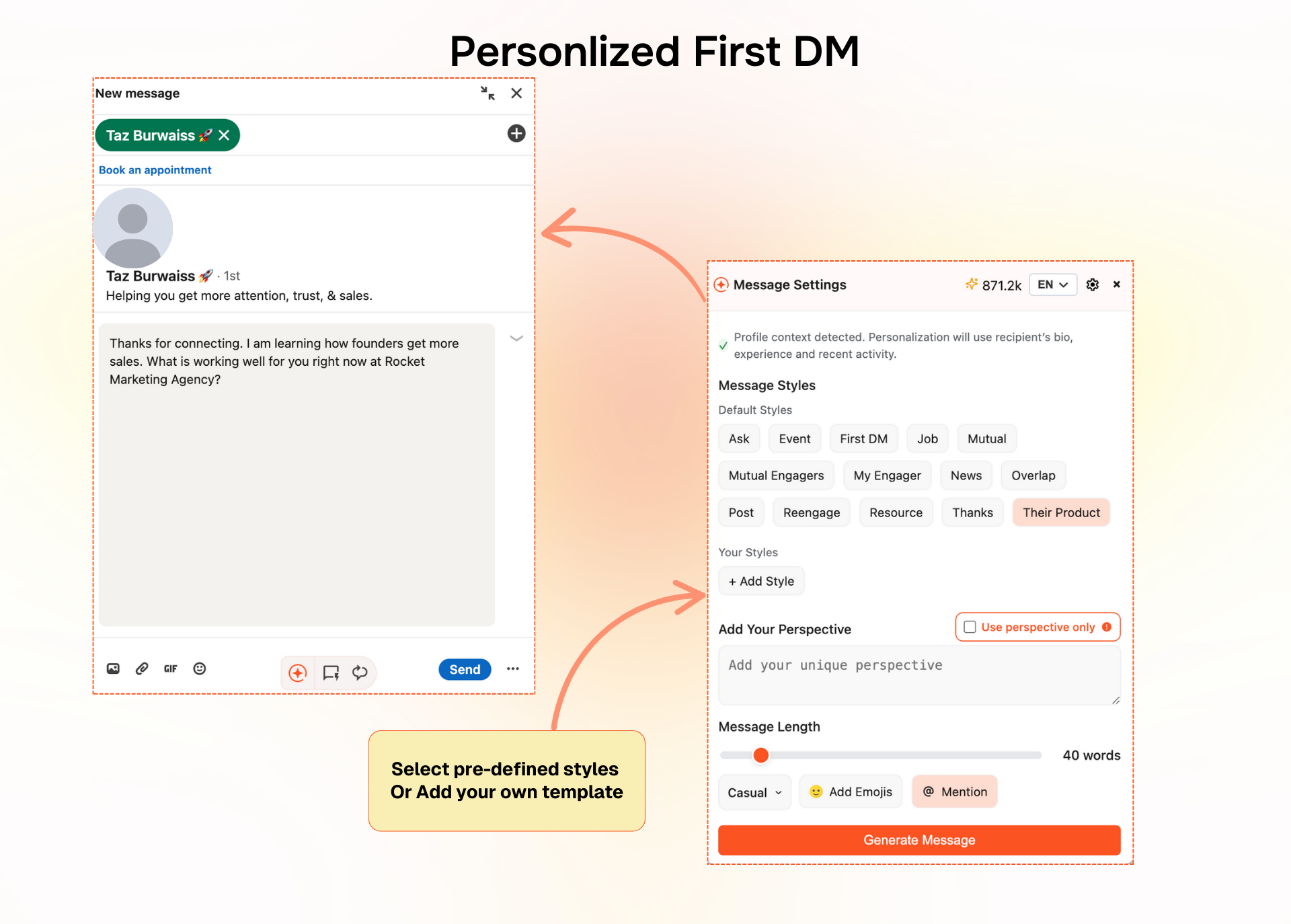
Personalised First DMs
Once someone accepts, Depost AI helps you write a short first message rooted in their content rather than your agenda, aimed at opening a conversation rather than selling immediately.
No more “Hi [First Name], quick question” followed by a wall of text.
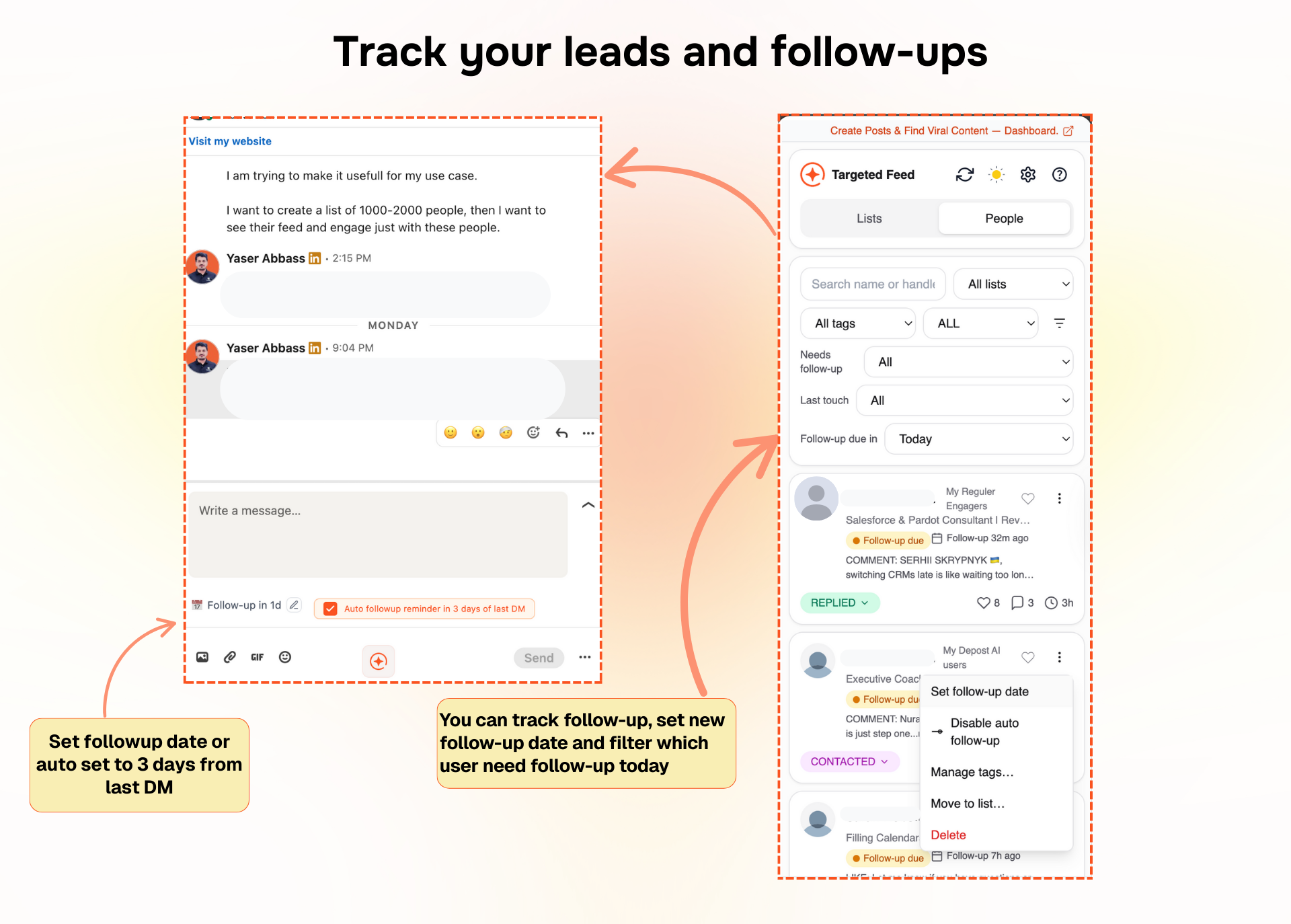
DM Tracking and Follow-Up Reminders
Your outreach becomes a lightweight pipeline instead of a chaotic inbox. You can see the last message in each conversation, assign statuses, set follow-up dates, and filter to “Not replied” or “Follow-up due today”.
Each day you open Depost AI and work the list. That is the whole ritual.
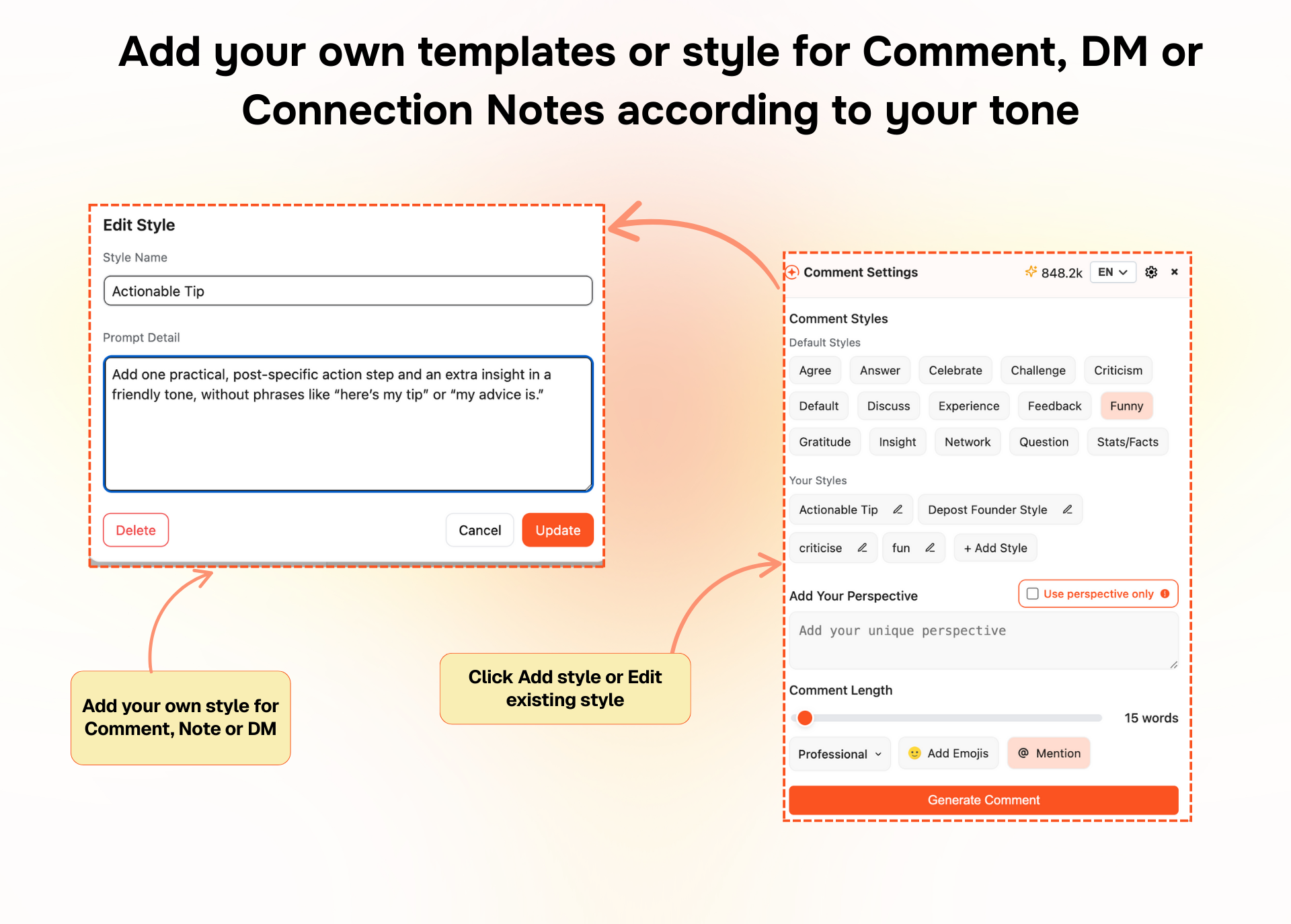
Custom Styles for Comments, Notes, and DMs
Everyone has their own way of speaking, so you can save custom styles for comments, connection notes, and first DMs. Things like “direct founder style”, “soft and curious”, or “question first”.
Depost AI uses those patterns when drafting, so what comes back still sounds like you.
DM Sequences as Custom Styles
You can also save styles for each stage of a conversation:
- Intro or first touch
- Follow-up
- Soft pitch
- Call invite
- Close the loop
Each one is a pattern rather than a fixed script. Depost AI adapts the wording using the prospect’s context and the conversation so far, so a sequence does not read like a sequence.
Combined with tracking and reminders, you always know which message went out, what comes next, and who is waiting on you. That makes it possible to run Intro, Follow-up, Pitch, Call cleanly, without losing conversations halfway through.

What Depost AI Is Now
Depost AI started out focused on generating posts, helping with comments, and keeping your content consistent. All of that is still there.
With this update it also covers the outreach side: a loop you can run in 30 to 45 minutes a day to create B2B conversations.
It does not replace you. Every comment, note, and message is drafted for you and sent by you. What it replaces is the random scrolling, the manual tracking, the forgotten follow-ups, and the cold messages that had no context behind them.
Want to See This Workflow in Action?
If you would rather watch than read, here is a short walkthrough of the whole thing inside Depost AI:
It covers how the targeted feed works, how comments, notes, and DMs get drafted, and how statuses and follow-ups are managed.
FAQ
What is a LinkedIn outreach workflow?
A repeatable set of daily steps that moves people from stranger to warm contact to conversation. The value is that you stop deciding what to do each morning and just run the loop.
How much time does this workflow take per day?
Thirty to forty-five minutes. It is built around consistency rather than volume, and it stops working if you try to compress a week into one Sunday.
Can this workflow work without Depost AI?
Yes. The logic is the thing, and you can run it with LinkedIn lists and a spreadsheet. Depost AI handles the targeting, drafting, tracking, and reminders so it survives a busy week, but nothing here depends on the tool.
Who is this best suited for?
B2B founders, agency owners, consultants and coaches, sales and SDR teams, and creators who want both inbound and outbound coming from the same activity.
If LinkedIn is a real channel for your business and you have been “active” for months without a system, this is the gap it fills.